Minecraft Education Edition
I had the pleasure of directing and designing the UX/UI site map and overall experience for the new updates to Minecraft Education Edition. Reducing friction, adding classroom management tools like join codes and making it more accessible and easy to use for all ranges of learning.
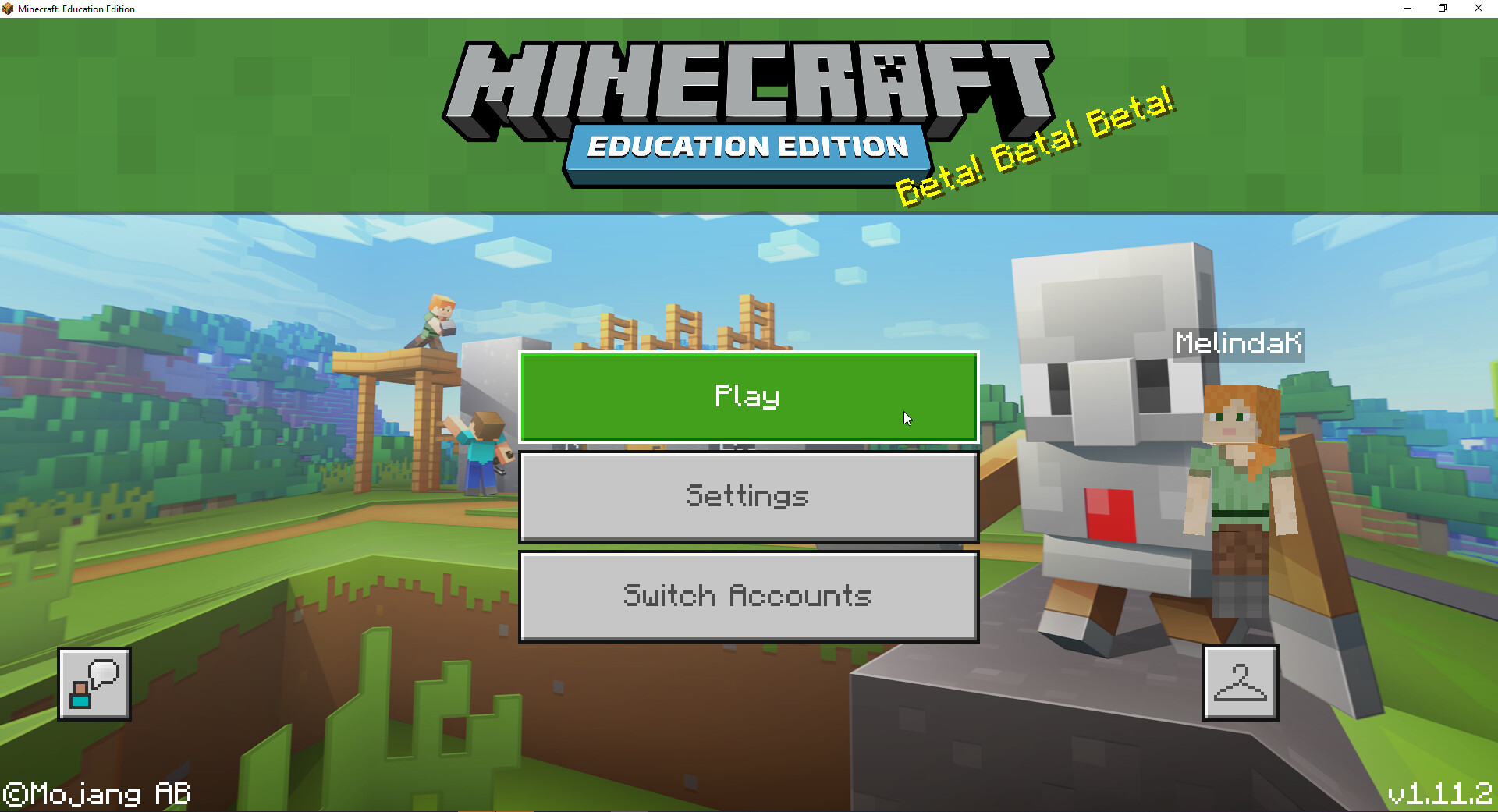
Updated the home screen to be simple, clean, and have a very polished theme matching the Education brand.
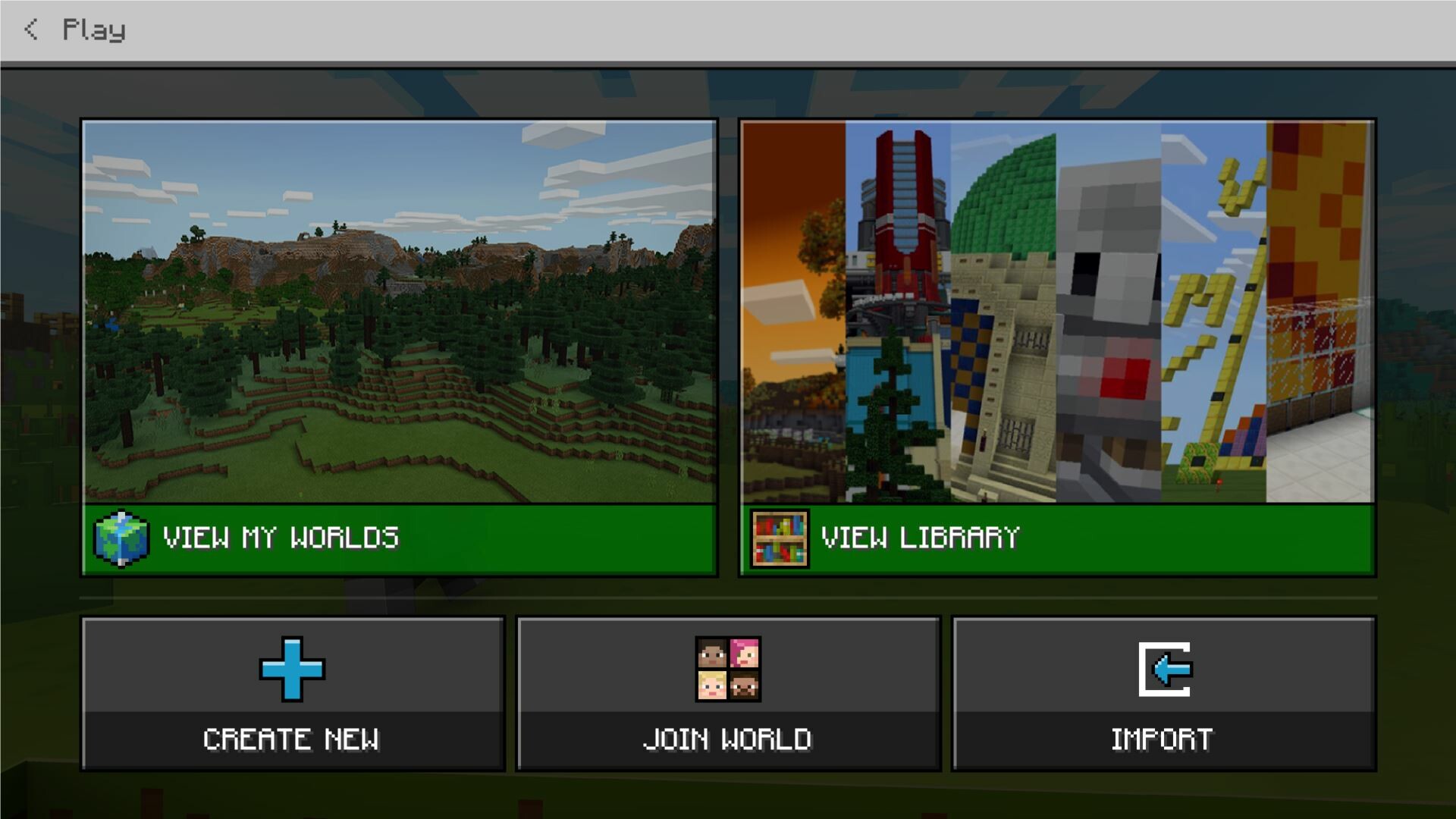
Completely updated the site map to have one clean play screen with easy to view, read and understand visual design. Using color, icon, images and simple language so the usability of the screen would be strong for all ages.
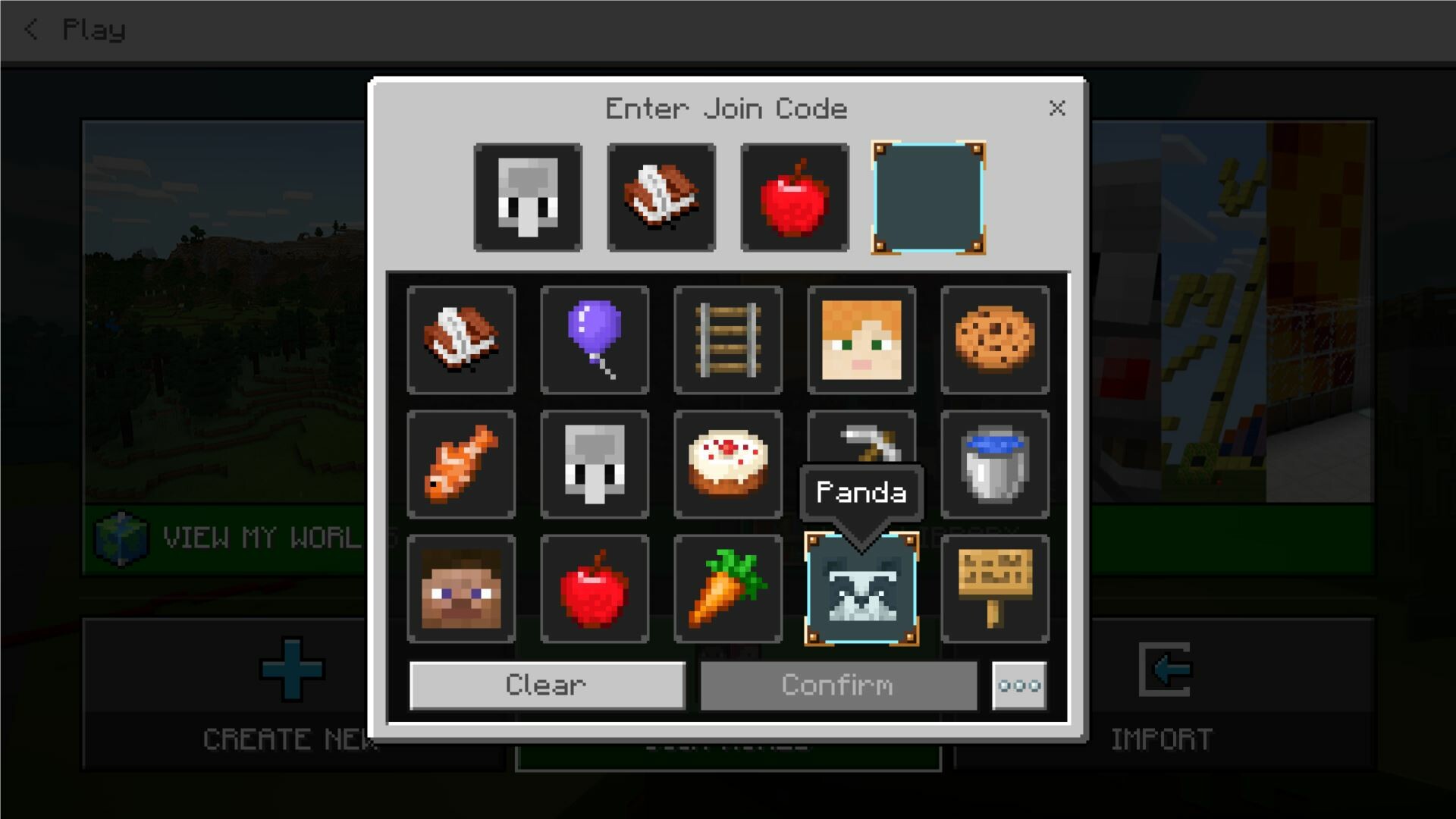
Exciting multiplayer feature, where kids could generate join codes to join the right worlds.
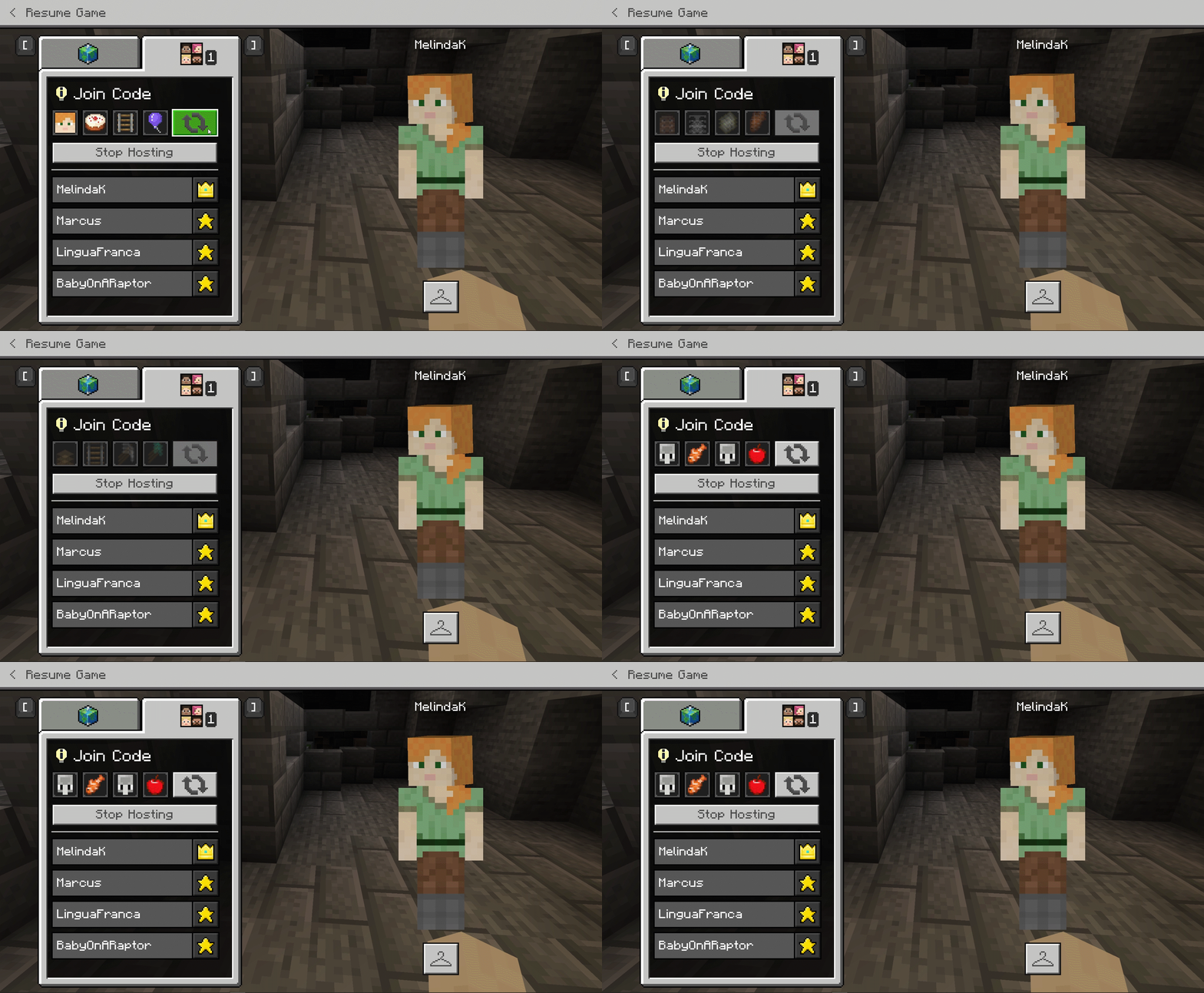
Completely updated the pause menu of the Education edition to be much cleaner, simpler and easy for teachers and students to use the feature sets.
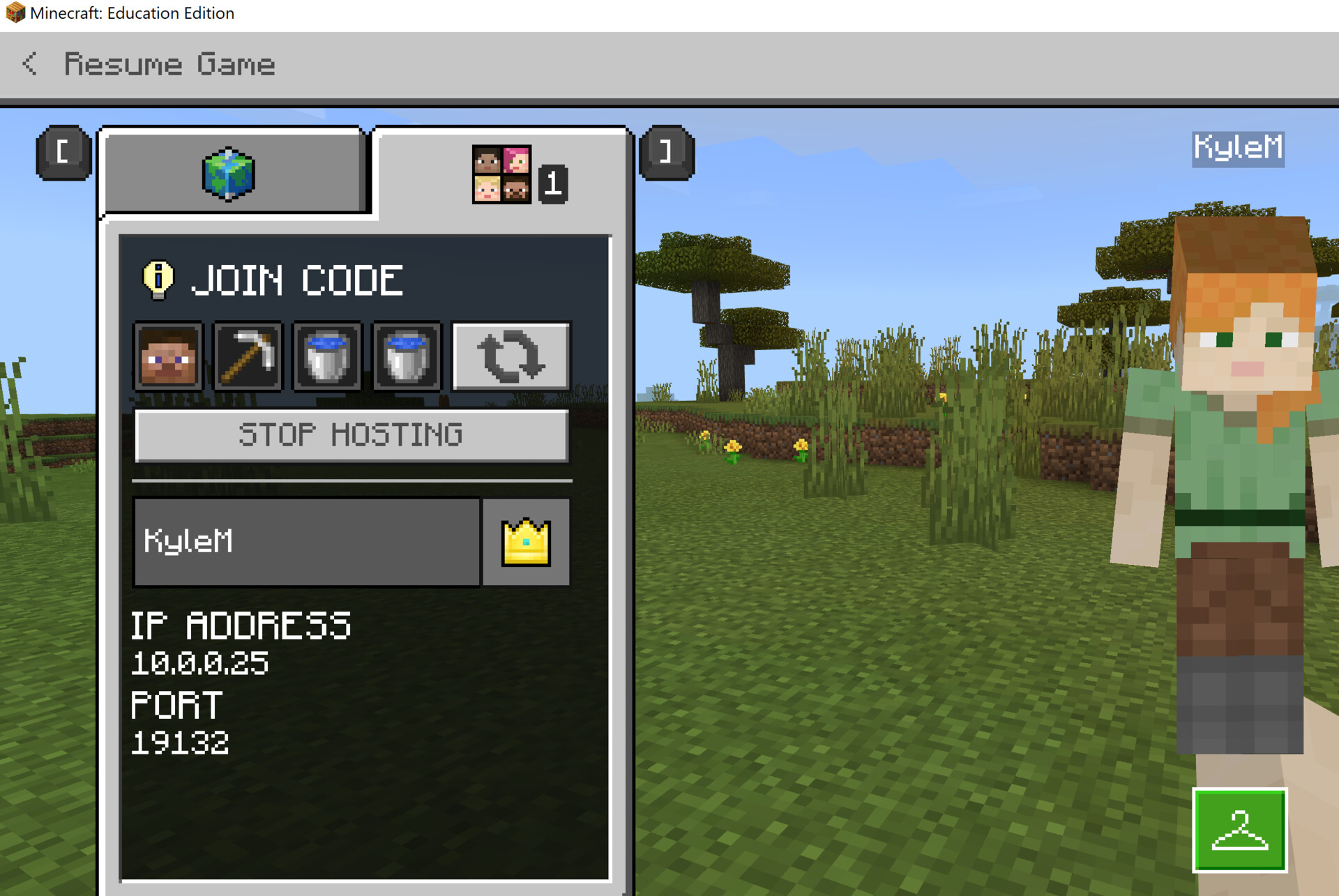
Also on this updated pause menu teachers and students can regenerate their join codes or stop hosting.
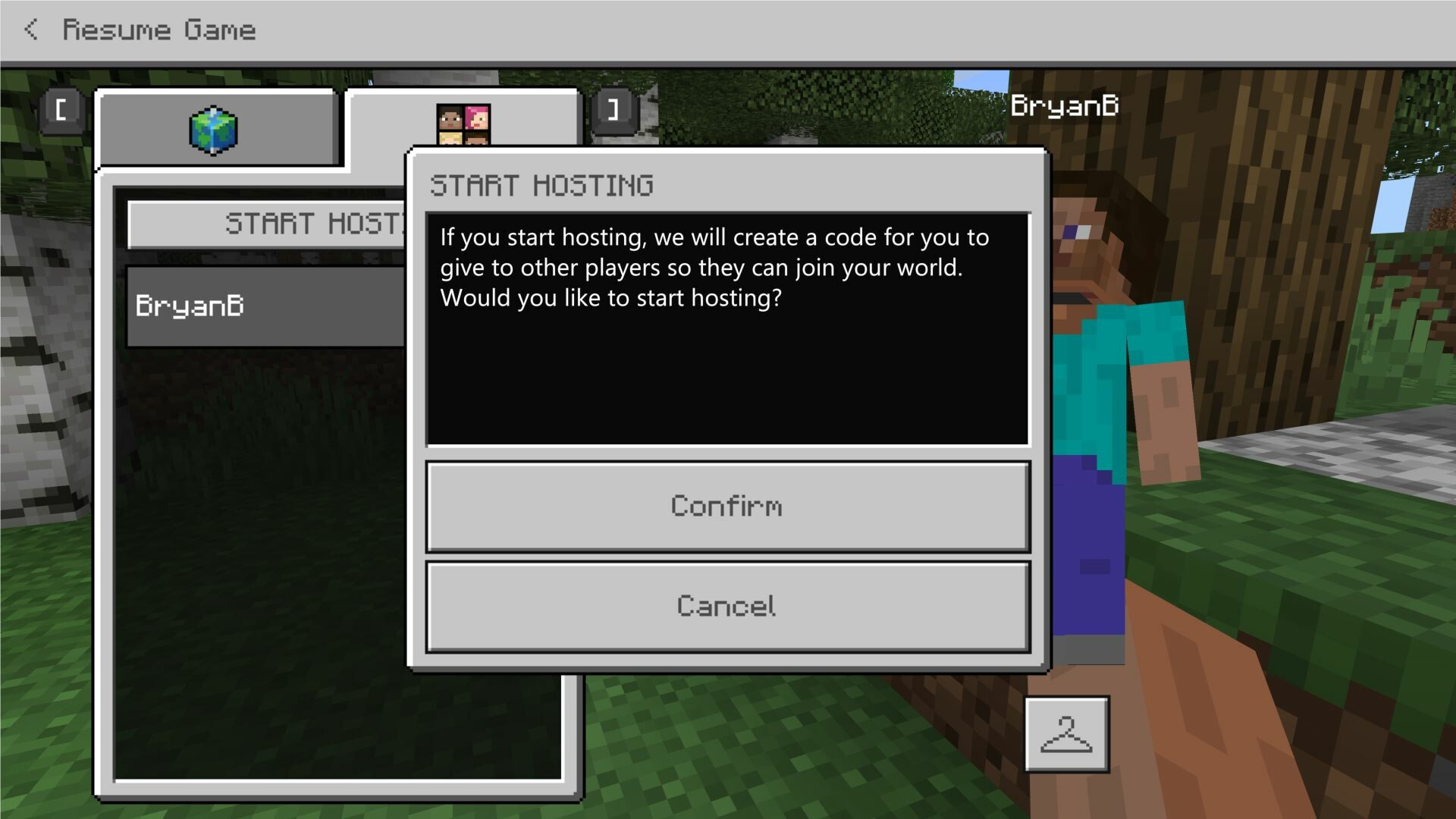
Confirmation to ending the hosting session.